
How to Setup EyeMD PM HL7 Interface
Category: Installation - 2.0
Before you begin, you will need to ensure you have the latest HL7 Engine installed and ensure CS has set the correct interface type in OMS. HL7 Engine installation instructions can be found here: https://kb.eyemdemr.com/kb-articles/hl7import-service-install/ Please make sure you have downloaded the current version of the HL7 Transfer application which allows you to setup the connection between EyeMD PM and the EMR server via API connection. This can be found on the downloads drive. Once this has all been done you may begin below.
- Install HL7 Transfer API Application
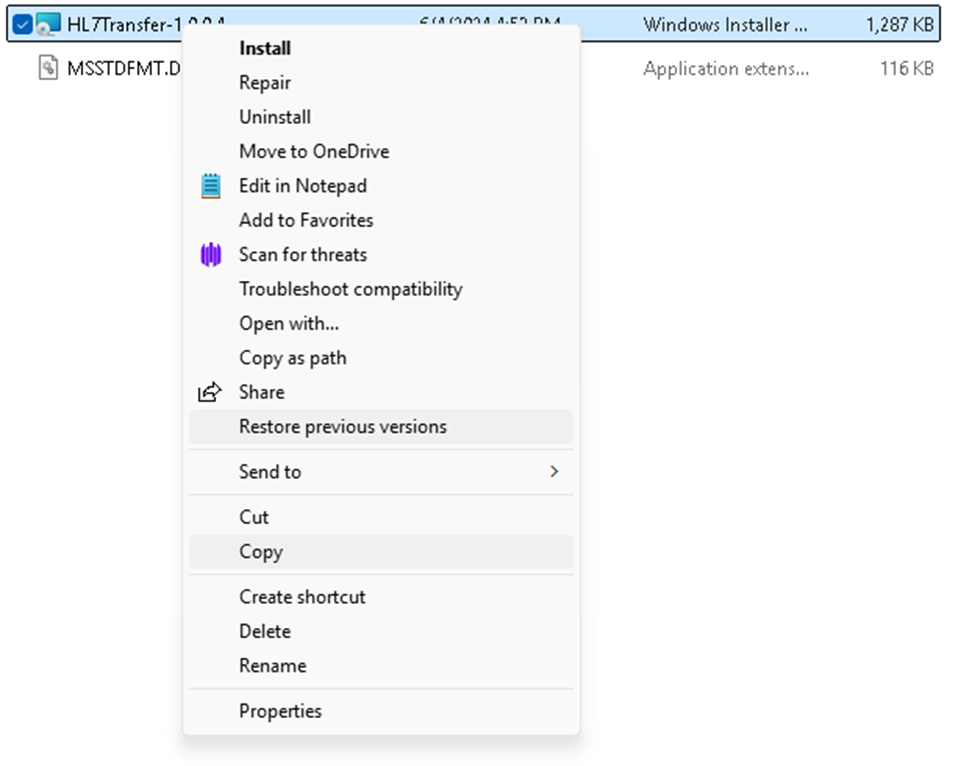
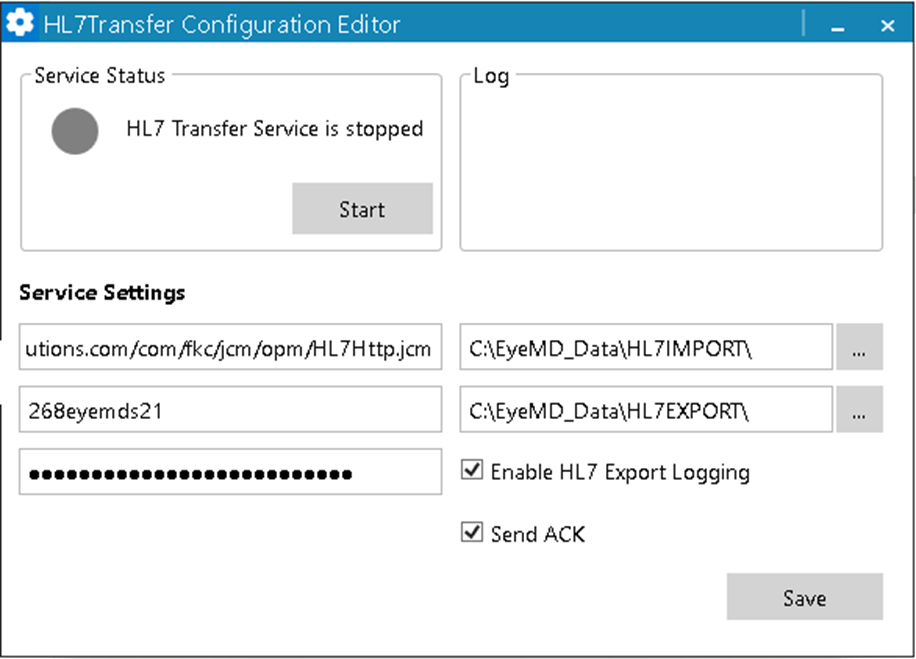
2. Configure the HL7 Transfer with the credentials provided to you by our PM team ( Make sure all other settings are selected same as in the photo below)
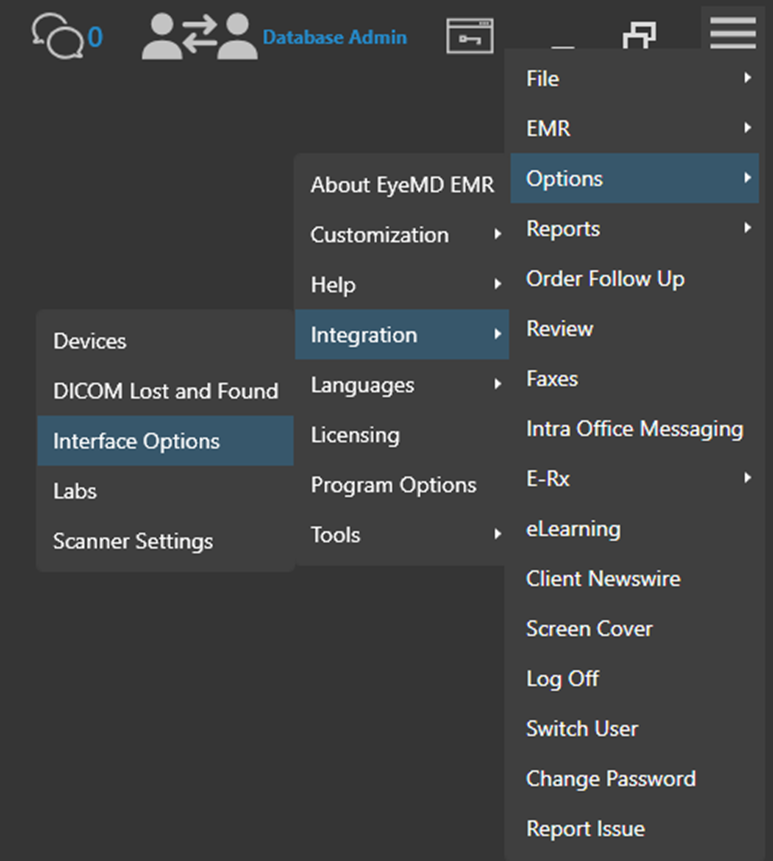
3. From the EMR hamburger menu go to Option>Integration>Interface Options
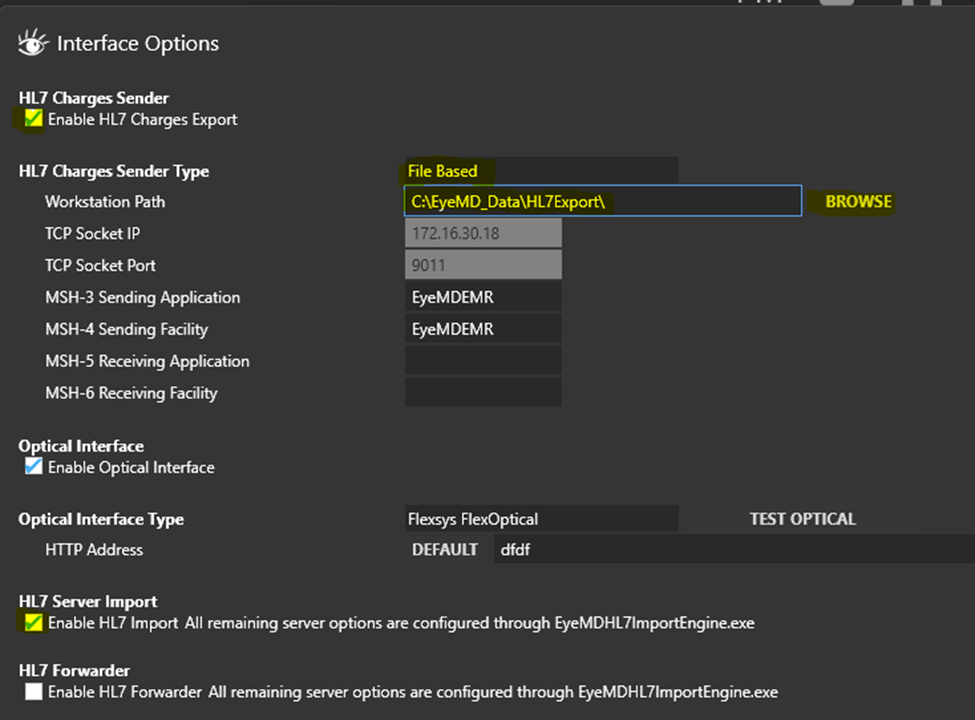
4. Make sure the highlighted fields below are configured accordingly
5. Lastly, make sure you setup the Advanced Integration (Instructions can be found here: https://kb.eyemdemr.com/kb-articles/how-to-setup-eyemd-pm-advanced-integration/