How to Setup EyeMD PM Advanced Integration
Published: 7/21/25 8:31 PM
Modified: 7/21/25 8:31 PM
Category: EyeMD EMR 2.0
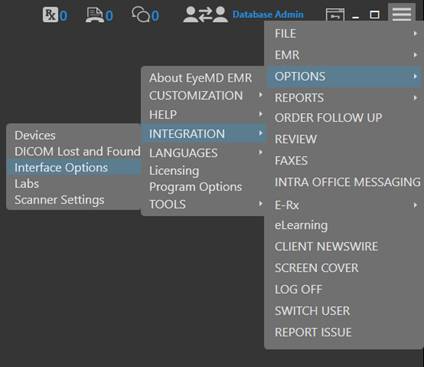
- From the Hamburger Menu go to Options>Integration>Interface Options
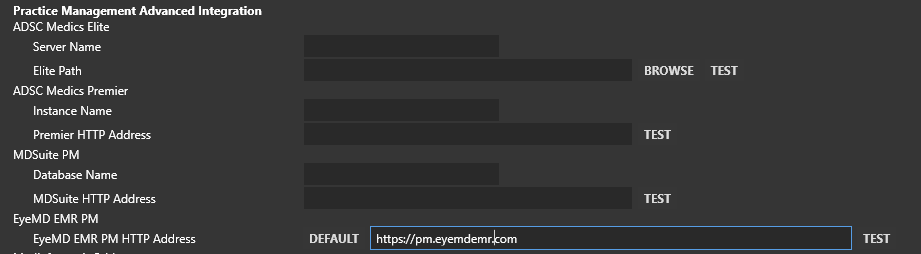
2. From here you will see a section titled Practice Management Advanced Integration (Makes sure you fill out the correct section for EyeMD EMR PM.) The correct value to be added is https://pm.eyemdemr.com
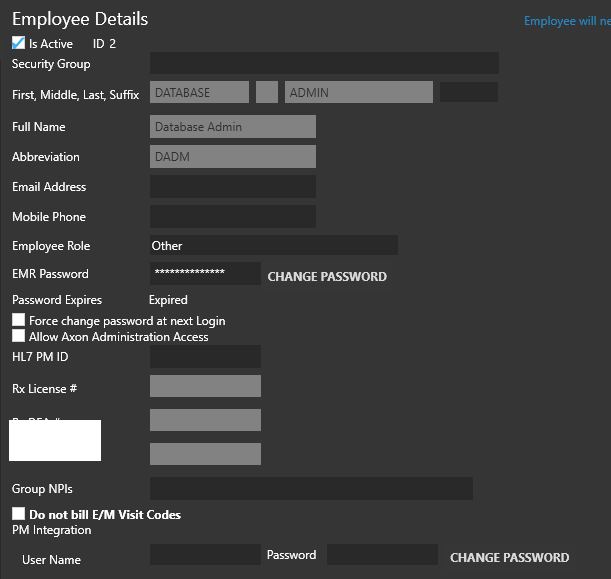
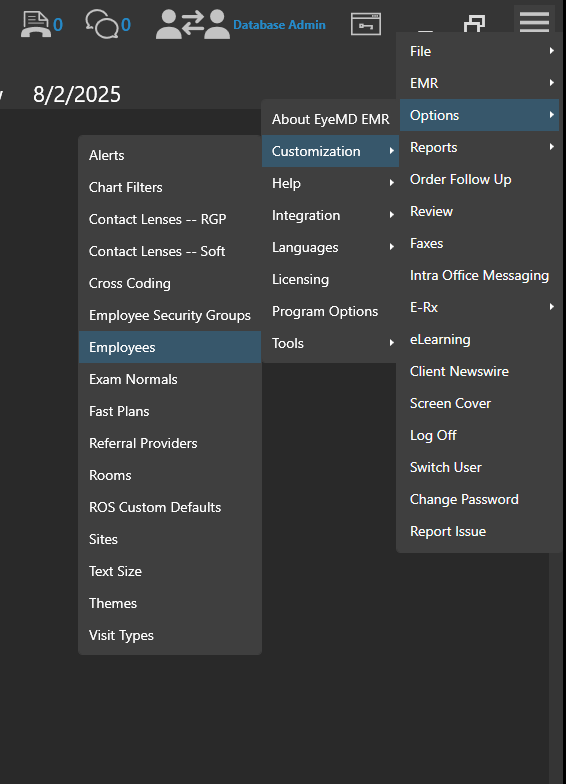
3. From the Hamburger Menu go to Options>Customization>Employees (Go to the employee section for each employee that will be using the advanced integration and show practice how to set user credentials for the PM within the EMR.)
4. From the Employee Details screen you will see PM Integration section ( Make sure when entering the password, that you enter it by selecting the change password button and not by typing the password in the password section.