How to complete a license refresh
Published: 4/10/25 8:42 PM
Modified: 4/29/25 8:11 PM
Category: EyeMD EMR 2.0, General
There are two ways to refresh a license. From the Gateway manager and from within the EMR. The preferred method is to do it from within EyeMD EMR.
NOTE: If the license is refreshed from the Gateway Manager you will need to restart the gateway for it to take affect. This is not needed if refreshing from within EyeMD EMR
(Please see below for both options)
OPTION 1
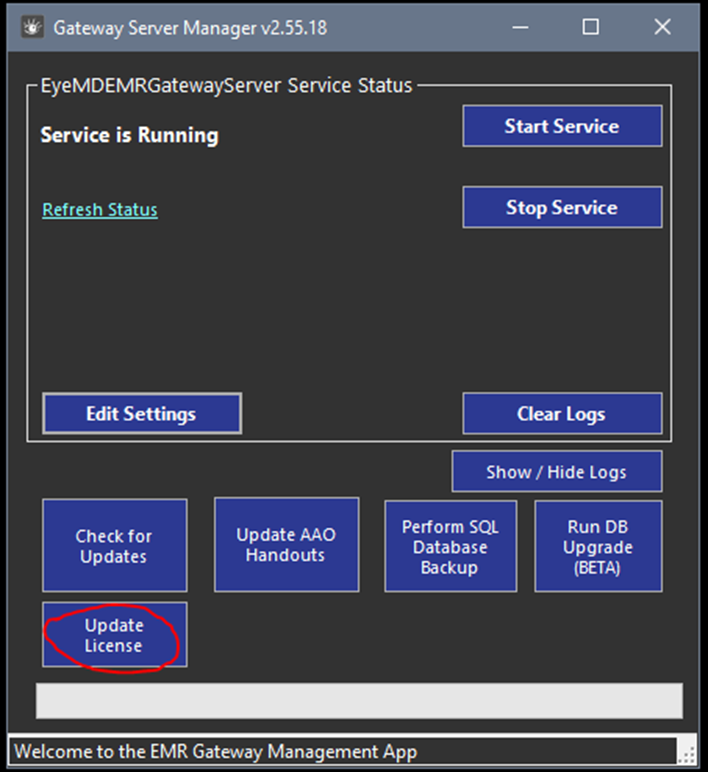
- Open the Gateway Server Manager (Always right click and run as Administrator)
2. Click on Update License
OPTION 2
- Open EyeMD EMR

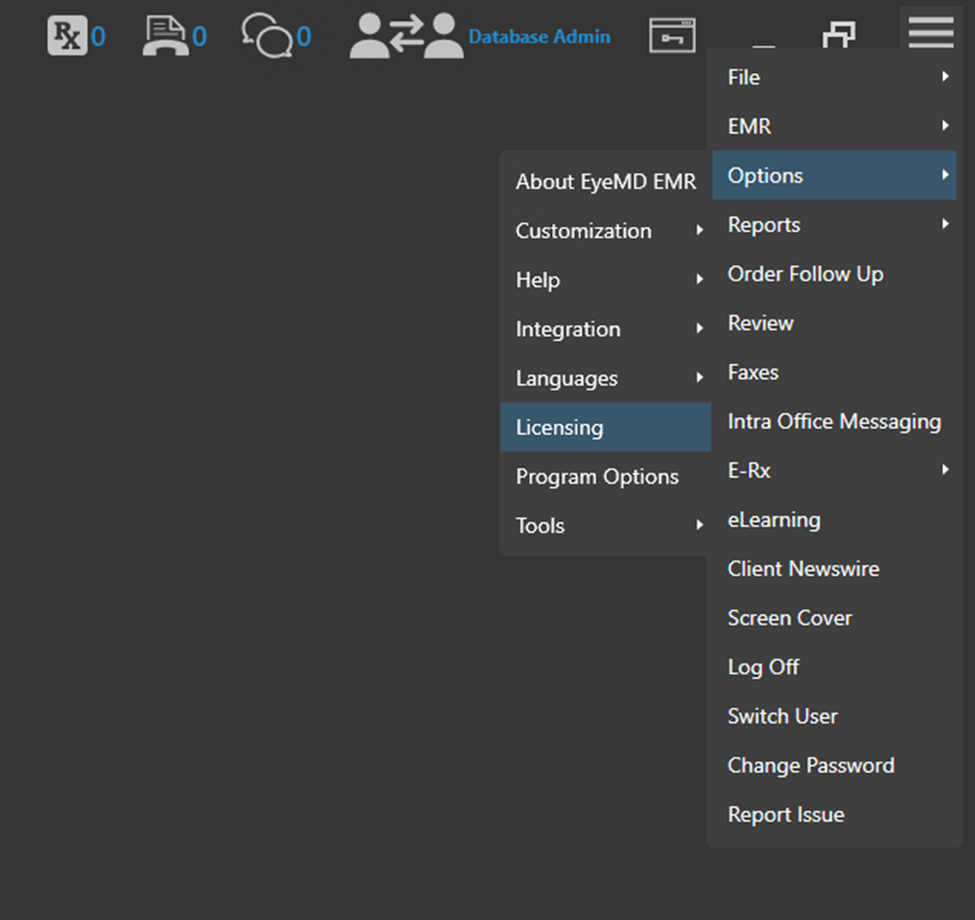
1. From the Hamburger Menu go to Options>Licensing
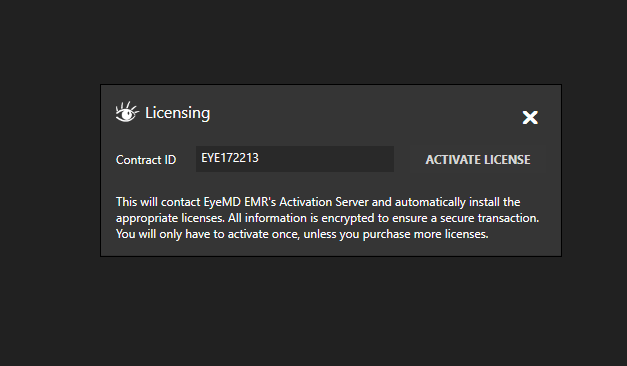
2. Click on Activate License